Rostra Tech
$300 a year on its ownChromebooks, chargers and cases: who has each one, its condition, what it has cost, and where it goes next.
Rostra Tech works alongside Google Admin and never changes device settings.
Learn about TechThe platform your school runs on
School management, brought into the 21st century. Attendance, grades, report cards, devices, behavior, family email, the health office, dismissal, games and more. One platform. One roster. One sign-in.
What runs on Rostra
Not a gradebook with add-ons. The whole school. The office, every classroom, the health office, the curb and every family, on one roster.
All of it stands on
The product, not a drawing of it
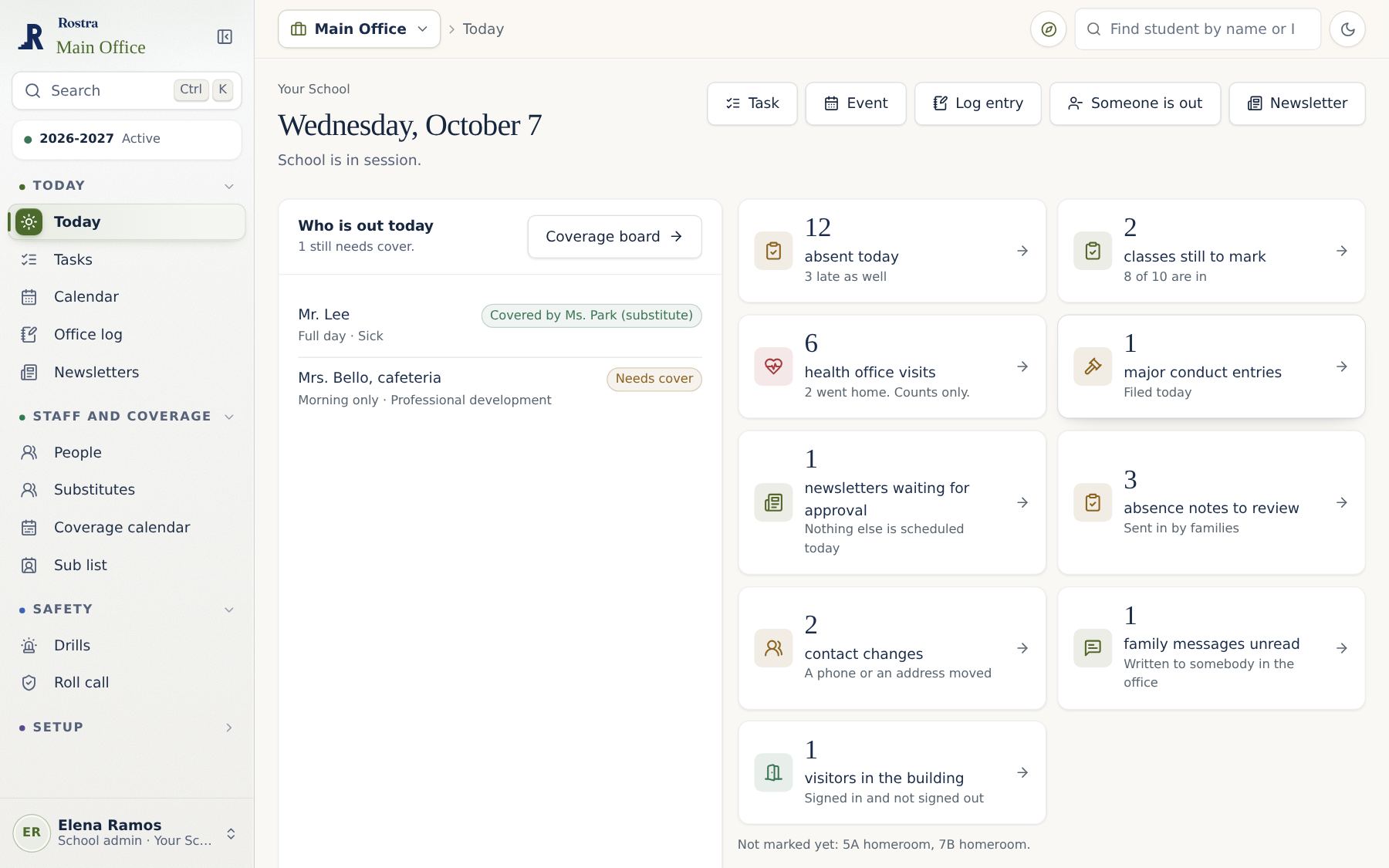
The office at 8:05 am. Who is out, who is covered, who went home sick. One page, read by the whole team.
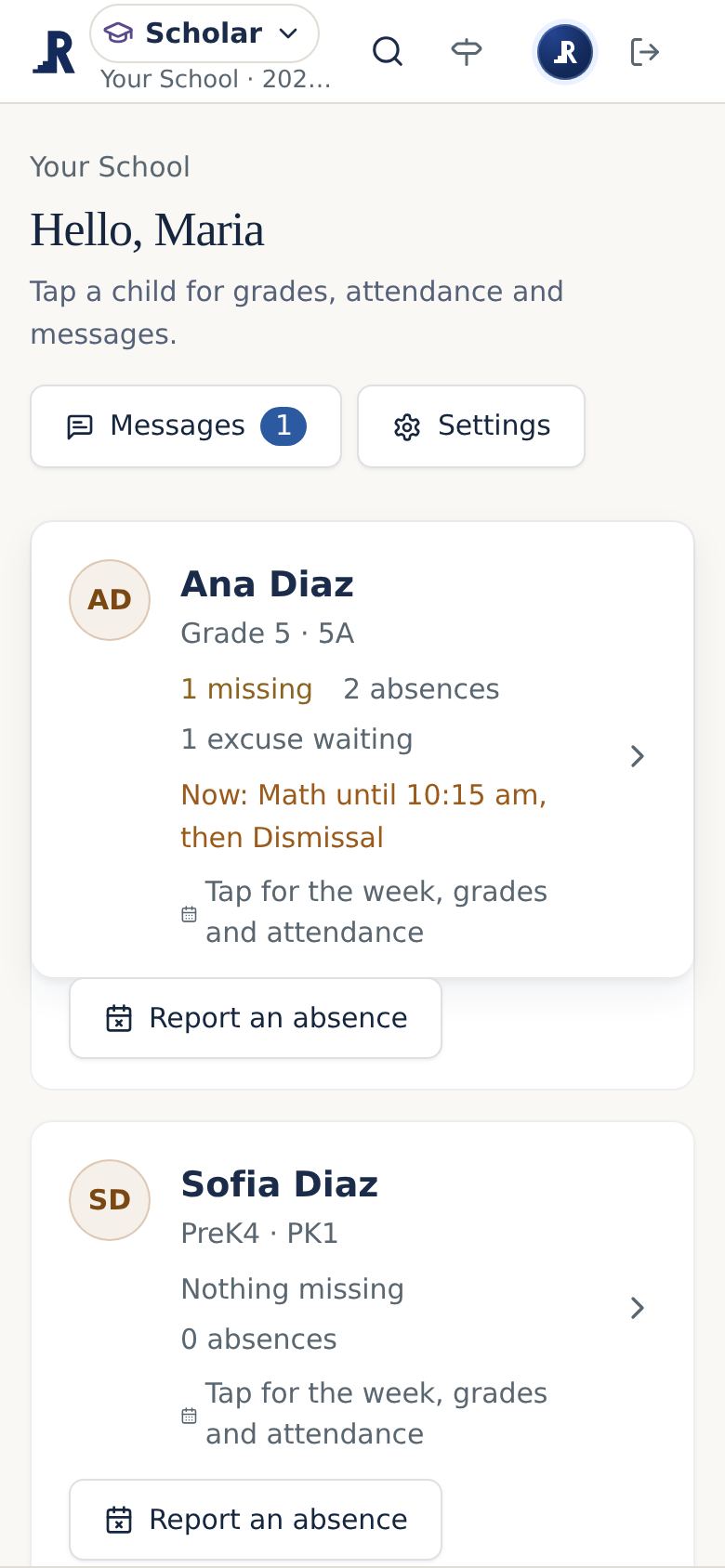
A parent at 8:06 am. Same records, their child only, on their phone.
Why schools switch
Most schools run an old records system, then pay for a separate tool for every job it skips. Rostra replaces the whole stack. All at once, or one app at a time.
The suite
A legacy SIS sells you one system and leaves you to bolt on the rest. Rostra starts from the roster and builds every app on it, so the office, the classroom, the health office and families work from the same records, and each person sees only the parts that belong to their role.
Chromebooks, chargers and cases: who has each one, its condition, what it has cost, and where it goes next.
Rostra Tech works alongside Google Admin and never changes device settings.
Learn about TechAttendance, the gradebook, a weekly lesson planner, report cards, the student file and a family page.
Scholar is in pilot at one school and is not on the price list yet.
Learn about ScholarThe Chromebooks in front of every class, one tile per student, and a web filter for the school by grade.
It never records keystrokes, the camera, the microphone or where a device is.
Learn about ClassroomA class rewards board with games, merits and demerits, thresholds, and the follow-up that comes with them.
Conduct stays off until your school turns it on, and it keeps records only as long as you choose.
Learn about ConductEmail to families in your school colors, sent from your own address once your domain is verified.
Post sends email only. Replies go to your school’s existing inbox.
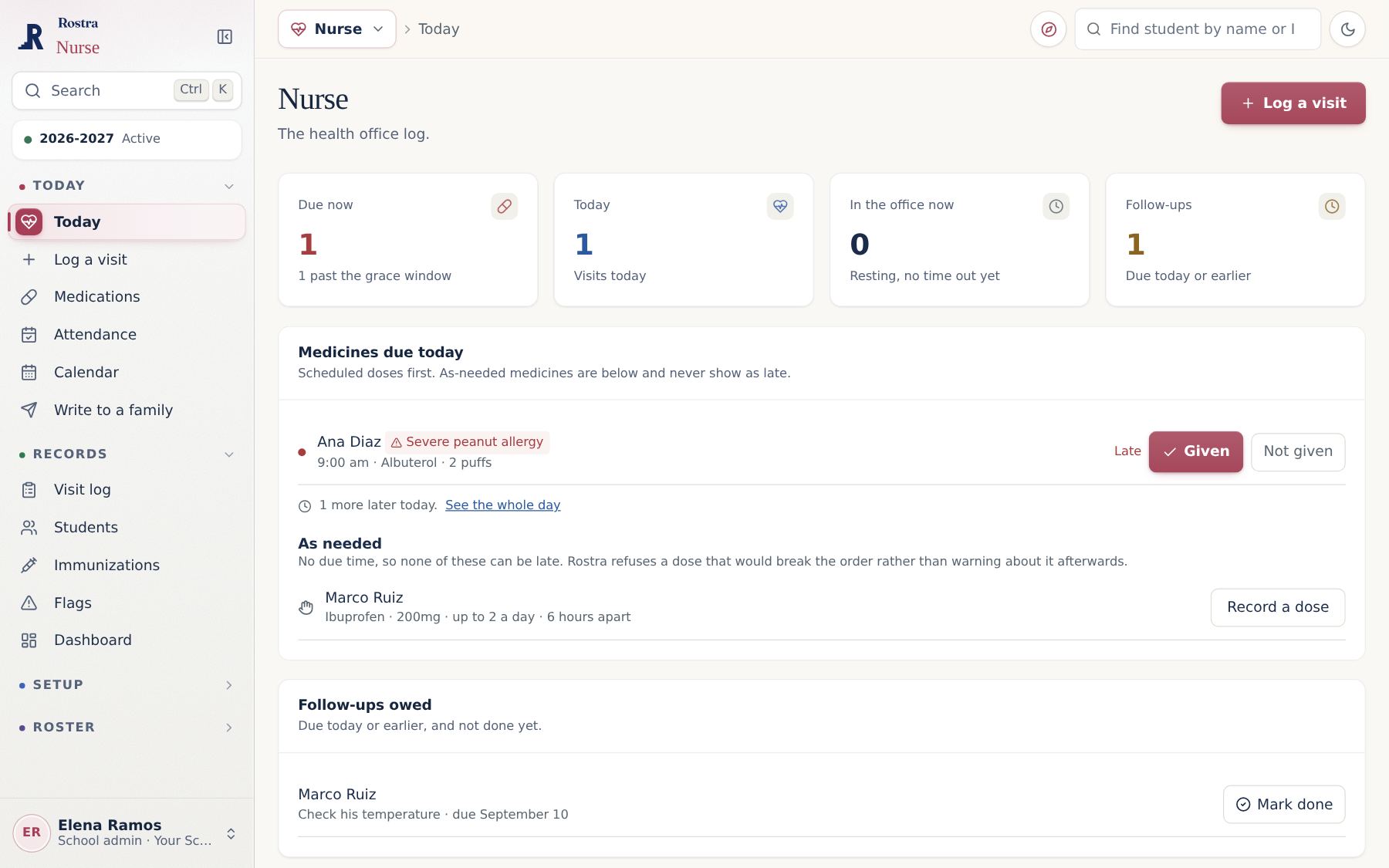
Learn about PostThe health office record: visits, medications, immunizations, and who may see what.
Nurse requires a signed agreement before it stores real health records.
Learn about NurseA shared workspace for the office team: the Today page, tasks, the school calendar, the office log and a newsletter builder.
Main Office is included with every Rostra school.
Learn about Main OfficeEvery way home in one place: the car line, buses, walkers, aftercare and pickups by an approved adult.
Dismissal is included with every Rostra school.
Learn about DismissalPush to talk for staff on the phones they already carry, with channels, text messages and school-wide alerts.
Walkie is included with every Rostra school and is available only to staff.
Learn about WalkieThe menu with pictures, family ordering by the day, week or month before the cutoff, and every balance in one place.
Invite substitutes by email or text. They get the schedule, class lists and plans for the day, with no account to make.
Every app a family uses, for one family price. A co-op pays the same price for each member family.
Practice games built on what the class is learning, with a friendly bear as the guide. Part of Scholar.
No app is a prerequisite for another. The first app you choose is $300 a year for the whole school, and it includes your roster, staff accounts, Main Office, Dismissal and Walkie. Each additional app costs less than the one before: $300, then $250, then $200, then $150. One app is $300, two are $550, and all 4, the Campus package, are $900. See full pricing.
There is no minimum purchase and no required bundle. When you add an app later, your roster, rooms and staff are already in place. If you remove an app, the others continue to work as before.
A closer look
Rostra Tech
Every Chromebook, charger and case, from the day it arrives to the day it retires. Issue a kit by scanning, take it back with a condition check, and see what is owed in one place.
Rostra Conduct
A class board students enjoy, with merits, demerits and follow-up built on the rules in your own handbook. A teacher recognizes a student in one tap, and the office sees the whole record.
Rostra Scholar · Pilot
Scholar holds attendance, the gradebook, the planner and report cards, and Cubby Quest turns practice into games students ask to play. It is in pilot at one school and is not on the price list yet.
Rostra Dismissal · Included
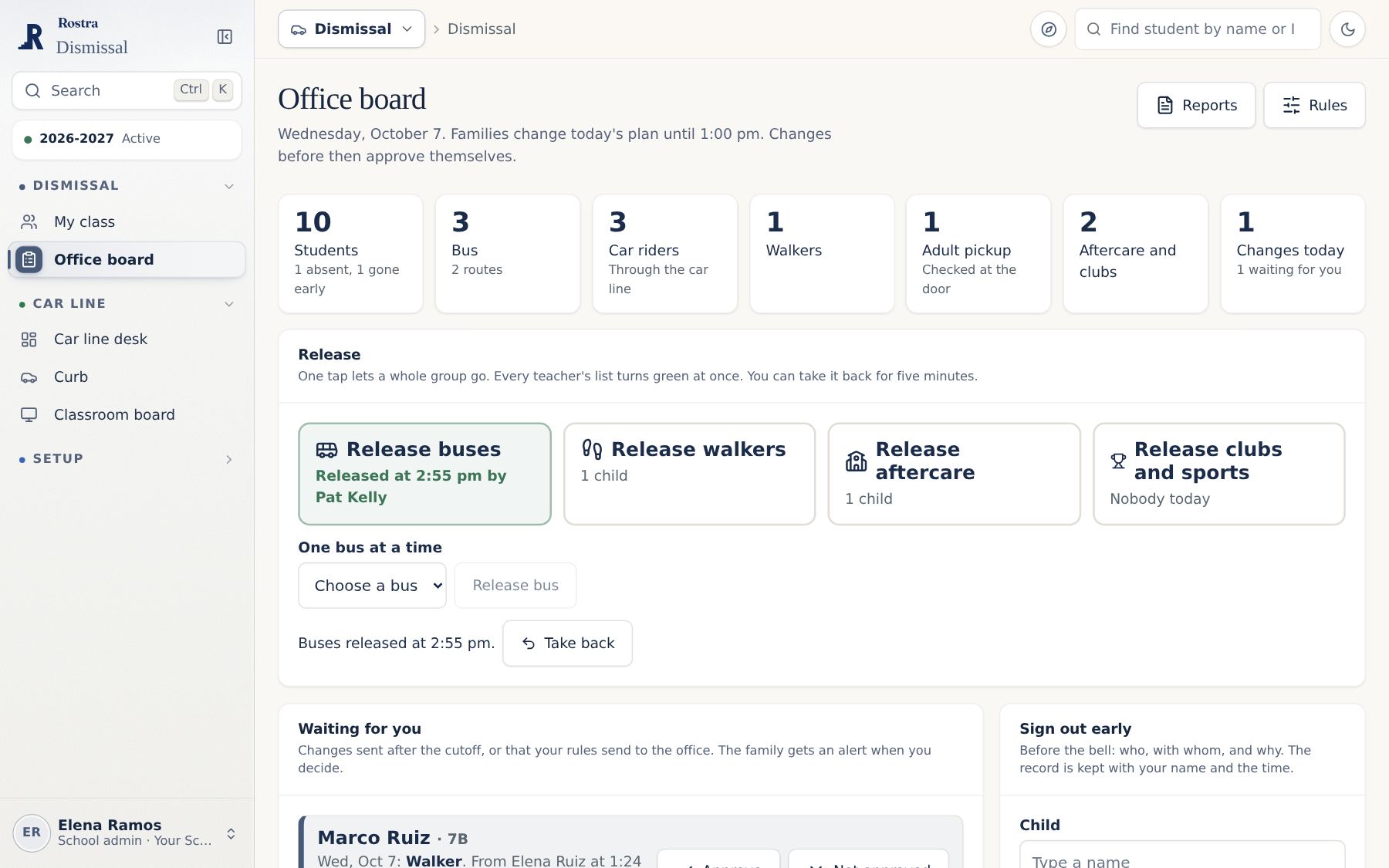
Call each car by its tag at the curb, and the classroom sees it the same second. Every release is recorded with the staff member and the time.
Families and the health office

Choose recipients by grade, homeroom or need from the roster you already keep. Every message is archived exactly as it was sent, and replies go to your own inbox.
Explore Rostra Post
Visits, medications and immunizations in a record only the nurse sees unless your administrators decide otherwise. When a student is sent home, the family is always told.
Explore Rostra NurseHow it fits together
Rostra holds your students, your staff, your school year and your billing. It is included with whichever app you choose first, so every app you add is already working from the same information.
Included with every school. It is not sold on its own because it supports the apps.
 Device management
 Student information
 Classroom screens and web filtering
 Behavior and the class boardSchool emailThe health office
 The office team hub
 Dismissal
 Staff push to talk
Many schools begin with the app that addresses their most pressing need and add others over time. Main Office, Dismissal and Walkie are included from the start.
Watch it work
The class board, a student sent home from the health office, the weekly planner, the Friday letter and a broken Chromebook at the desk. Each runs a few seconds. Choose any moment below.
A school day with Rostra
Every school day brings attendance, visits to the nurse, messages home and a busy dismissal. Here is how Rostra supports your team at each step.
7:45 am
Before the first bell, the office already knows which staff members are out and who is covering their classes.
Rostra Main Office8:05 am
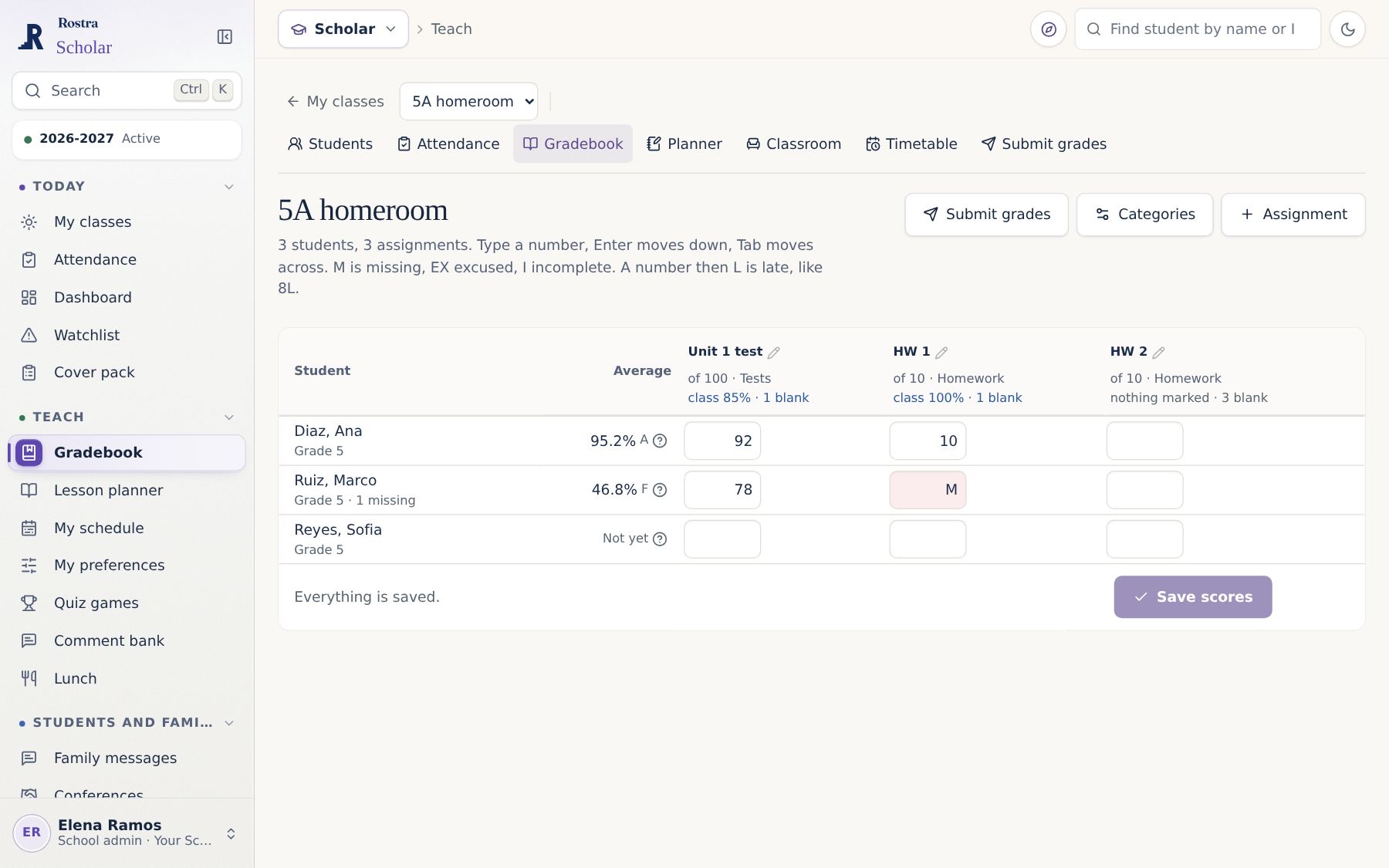
Teachers take attendance with one tap per student, and the office can see which classrooms have not finished.
Rostra Scholar10:40 am
A student who is sent home is recorded once. The family is notified, and the teacher’s attendance updates automatically.
Rostra Nurse11:20 am
A damaged Chromebook is scanned into the repair queue with its history and insurance coverage already attached.
Rostra Tech12:30 pm
Staff on the playground reach the office in seconds with push to talk on the phones they already carry.
Rostra Walkie1:15 pm
A teacher recognizes a student for kindness, the class goal moves forward, and the family can hear about it the same day.
Rostra Conduct3:00 pm
The newsletter goes out with upcoming events and a volunteer sign-up, and each family receives it in their own language.
Rostra Main Office3:10 pm
Buses go with one tap, each car is called from the curb, today's changes are on every teacher's list, and every release is recorded.
Rostra DismissalIncluded with every school
Every Rostra school receives these three apps at no additional cost, whichever app you choose first.
Who uses Rostra
Principals, secretaries and business managers share one view of the day, from staff absences to the weekly newsletter.
Attendance, grades, lesson plans and the class board are in one place, with one sign-in and nothing extra to learn for each task.
A complete record of every device, charger and case, kept alongside the admin console you already use.
Each school keeps its own records, and the central office sees every school side by side on one invoice.
Student privacy
The core student record is a name, a grade, a homeroom and a way to reach a guardian. Each app adds only what it needs, and only after your school turns it on.
Records are archived, never erased, so a mistake can be undone and history stays whole. If you stop paying, Rostra becomes read only and every record stays ready to export.
Nothing is sold and nothing trains a model. Students never sign in, and health records are visible only to the people your administrators choose.
Pricing
No per-student fees and no seat counts. Your school pays one annual price for each app, each additional app costs less than the one before, and Main Office, Dismissal and Walkie are included. Pick a package or start with one app.
Scholar is in pilot, by invitation. Homeschool is $80 per year for the whole family.
Questions
Import your roster. Invite your staff. Start with the app you need most, or run everything from day one. We answer every question along the way.
Choose a plan, import your roster, and begin the same day.